01 — અવલોકન કરો
વાસ્તવમાં શું બદલાયું તે જુઓ
વર્તમાન scan ને તમારા home ને પહેલેથી જાણીતા devices સાથે સરખાવો.
Detriment home Wi-Fi scan ને એક સ્પષ્ટ action, તમે સમજી શકો એવું evidence, અને તમે વિશ્વાસ કરો તે devices નો ખાનગી record માં બદલે છે.
No account. No ads. Full identifiers તમારા iPhone પર જ રહે છે.
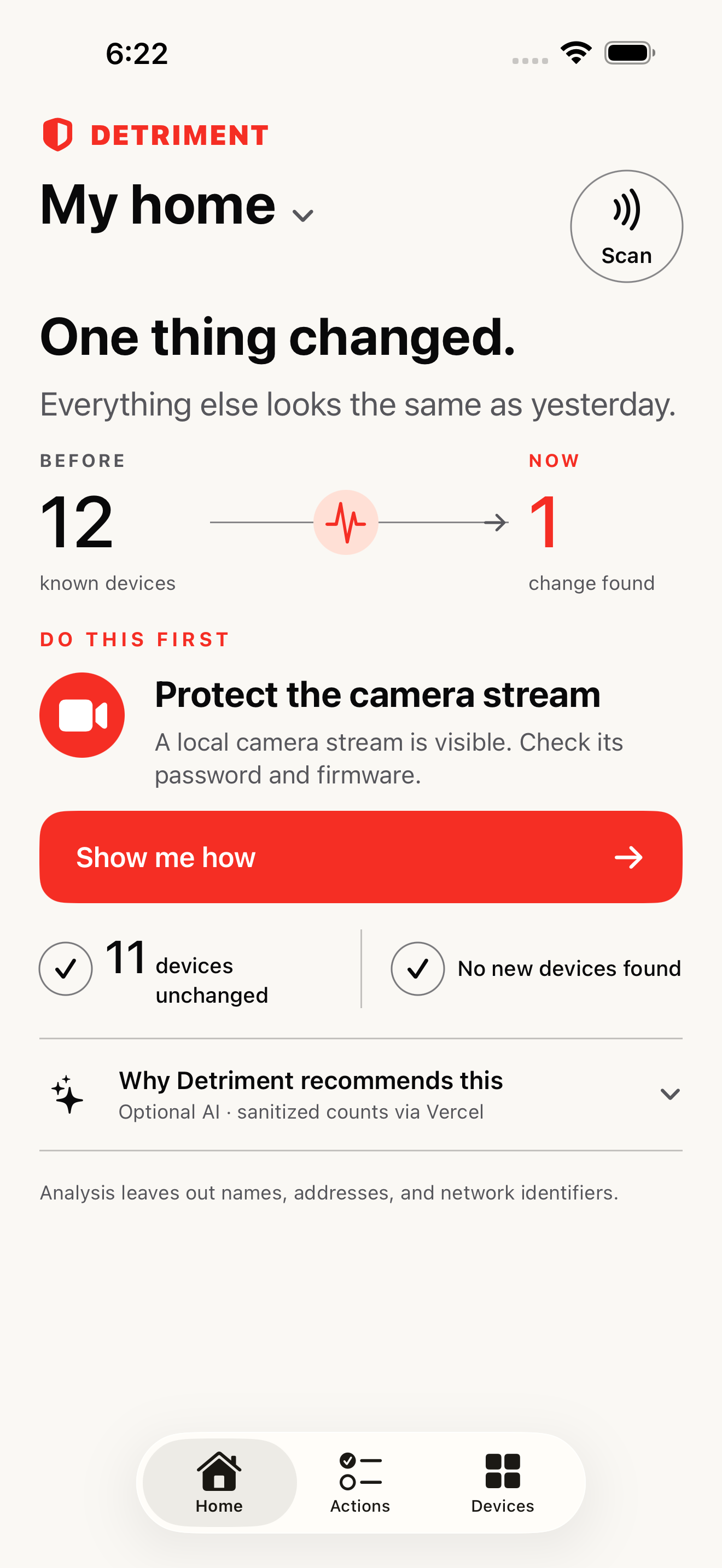
એક ફેરફાર સામે આવ્યો. બાકીની બધી વસ્તુઓ શાંત રહે છે.
01 — અવલોકન કરો
વર્તમાન scan ને તમારા home ને પહેલેથી જાણીતા devices સાથે સરખાવો.
02 — કાર્યવાહી કરો
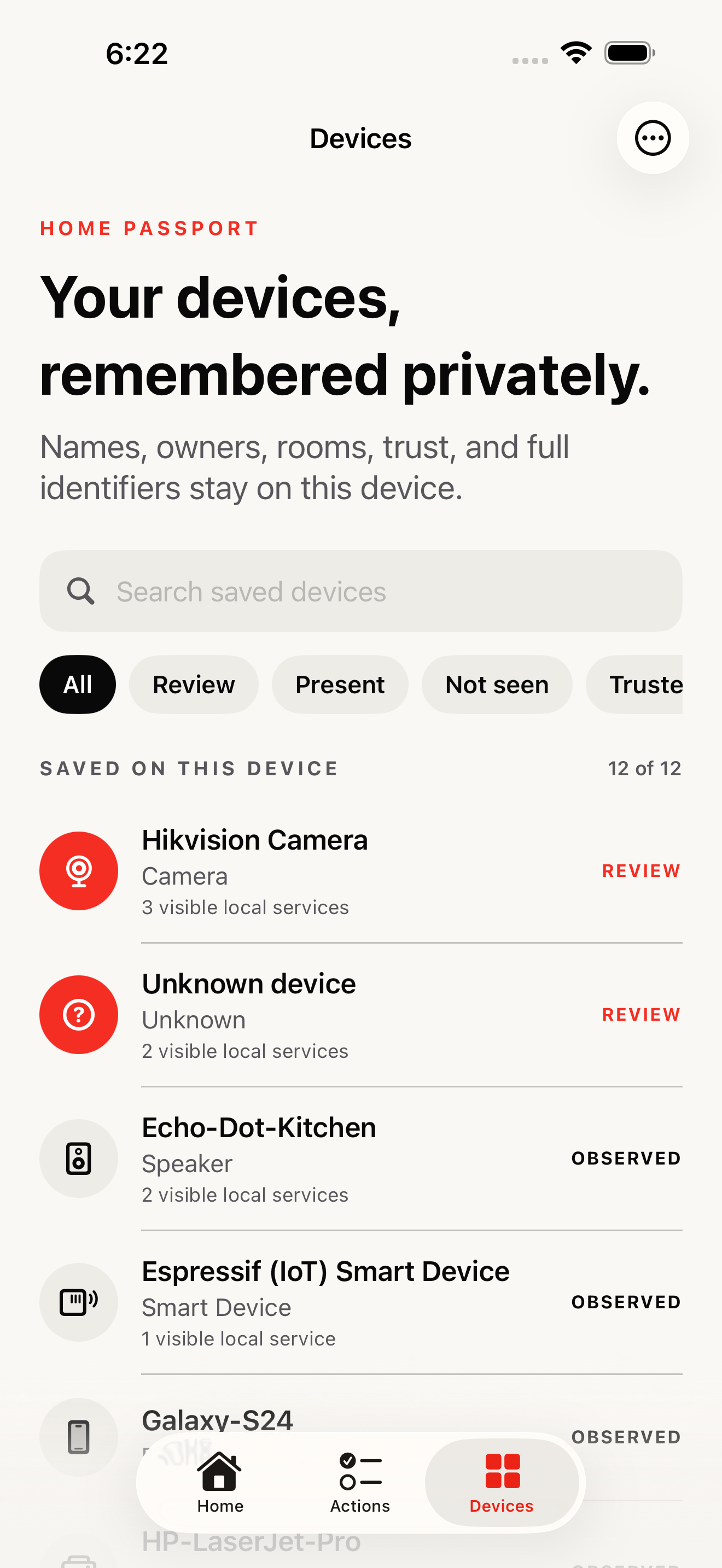
Warnings ના જંગલની બદલે સૌથી સ્પષ્ટ evidence થી શરૂઆત કરો.
03 — ફરી તપાસો
ખોટી નિશ્ચિતતા વિના observable change ખાતરી કરવા ફરી scan કરો.
એક વસ્તુ બદલાઈ છે
Detriment ઓળખીતા devices ને background માં રાખે છે અને હમણાં તપાસવા લાયક એક જ ફેરફાર આગળ લાવે છે.
તમારી યોજના
દરેક action observed evidence થી શરૂ થાય છે, તમે reverse કરી શકો એવા steps વાપરે છે, અને એવા scan પર પૂરું થાય છે જે ફક્ત તમારું network વાસ્તવમાં શું બતાવી શકે તે જ ચકાસે છે.
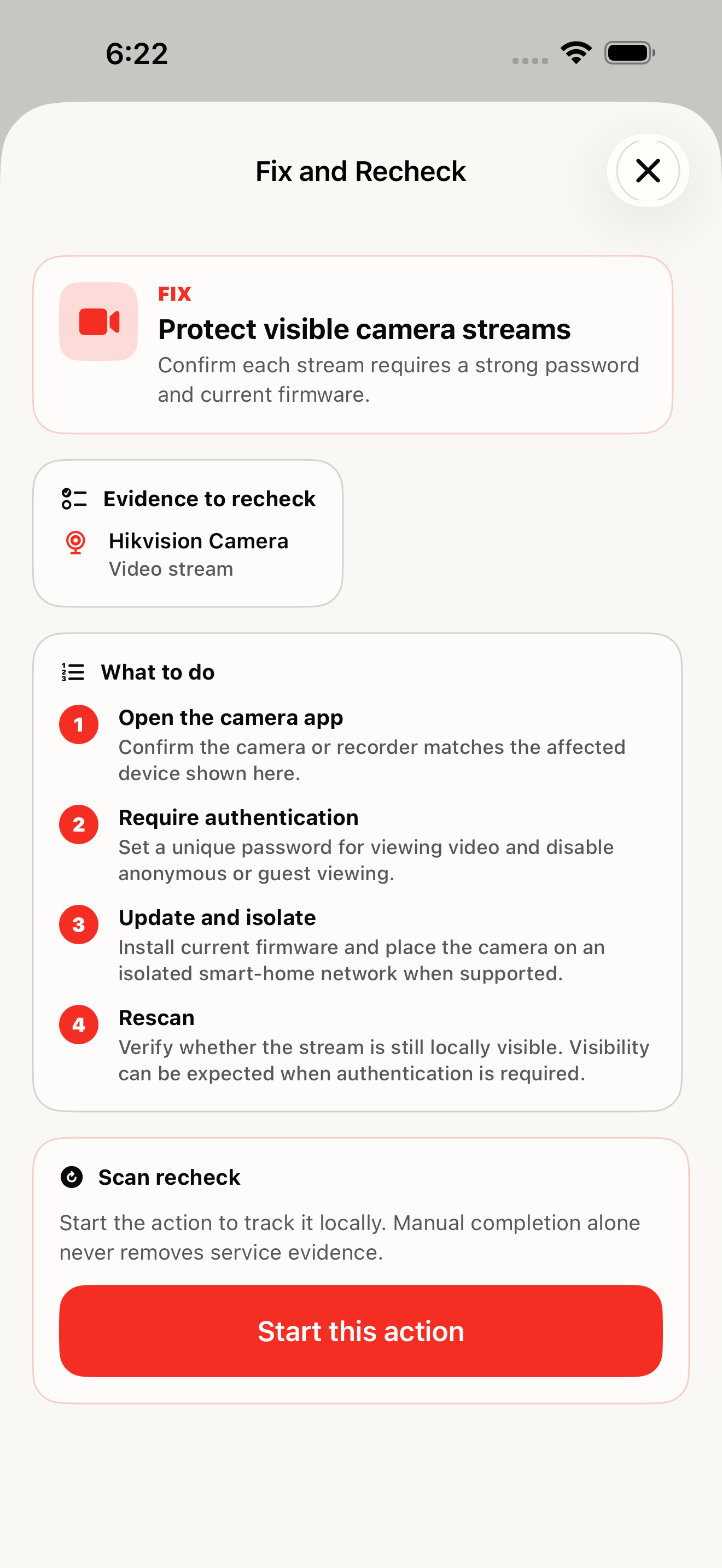
Home Passport
Devices ને ઉપયોગી names આપો, rooms અને owners યાદ રાખો, અને તમે શું trust કરો છો તે હજી સમીક્ષા જોઈએ તેમાંથી અલગ કરો. સંપૂર્ણ record આ iPhone પર જ રહે છે.
કડક privacy boundary
Full device names, network names, addresses, અને hardware identifiers તમારા iPhone પર જ રહે છે. Optional AI explanations ફક્ત sanitized categories અને નાની ગણતરીઓ વાપરે છે.
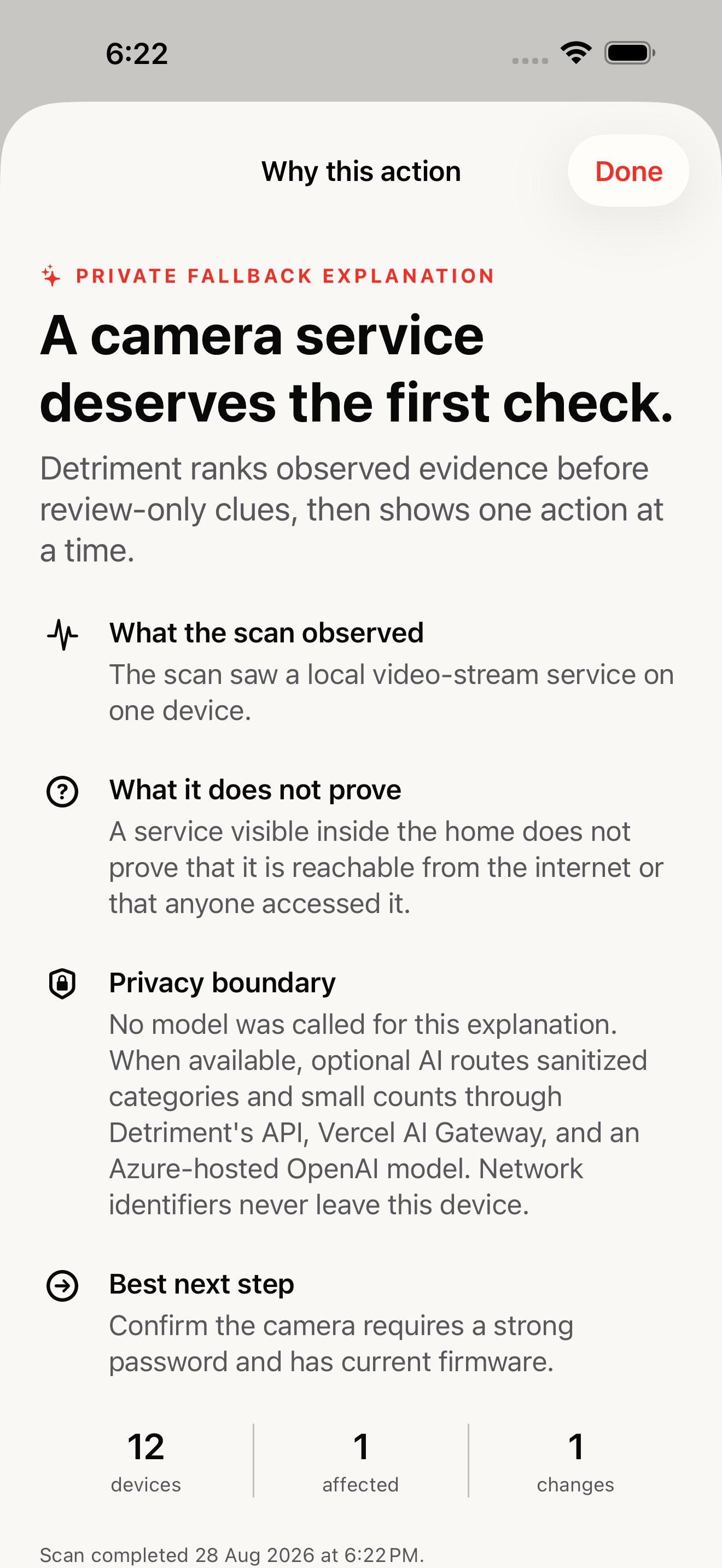
જ્યારે ઉપલબ્ધ હોય, ત્યારે optional AI Detriment ની API અને Vercel AI Gateway મારફતે Azure-hosted OpenAI model સુધી route થાય છે. જો verified privacy અથવા budget boundary ઉપલબ્ધ ન હોય, તો Detriment model ને call કર્યા વગર deterministic explanation આપે છે.
સ્પષ્ટ જવાબો
Detriment એક મફત iPhone અને iPad app છે જે તમારા home Wi-Fi ને સ્કેન કરે છે, શું બદલાયું તે બતાવે છે, evidence-backed action ને પ્રાથમિકતા આપે છે, અને જાણીતા devices ને ખાનગી Home Passport માં યાદ રાખે છે.
ના. Detriment માં account, ads, subscription, અથવા tracking SDK નથી.
Full device names, network names, local IP addresses, full MAC addresses, owner અને room labels, અને scan history device પર જ રહે છે. Limited manufacturer prefixes અને visible port numbers intelligence lookups માટે મોકલી શકાય છે.
ના. Detriment local network પરથી જોઈ શકાય તેવા evidenceની રિપોર્ટ આપે છે. દેખાતી local service internet exposure, intrusion, અથવા અન્ય વ્યક્તિ દ્વારા access ની સાબિતી આપતી નથી.
AI explanations વૈકલ્પિક છે અને sanitized categories તથા નાની ગણતરીઓ વાપરે છે, ક્યારેય household identifiers નહીં. જો Detriment પોતાની privacy અથવા budget boundary ચકાસી ન શકે, તો તે model ને call કર્યા વગર deterministic explanation આપે છે.
સ્થાનિક રીતે scan કરો. શું બદલાયું તે જુઓ. એક સાવચેત પગલું લો. record તમારા device પર જ રાખો.
App Store પર Detriment ડાઉનલોડ કરો